


What is NetFlow protocol


Another type of cisco protocol that is really useful and practical is NetFlow protocol. NetFlow was originally developed by Cisco to help network engineers and admins understand what’s really happening inside their networks, beyond just “it’s working” or “it’s down.”
This protocol helps to introduce cisco routers to provide ability for collecting IP network traffic as it enters to provide or exits an interface. In this article, we are going to explain NetFlow protocol and its features.
What is NetFlow protocol?
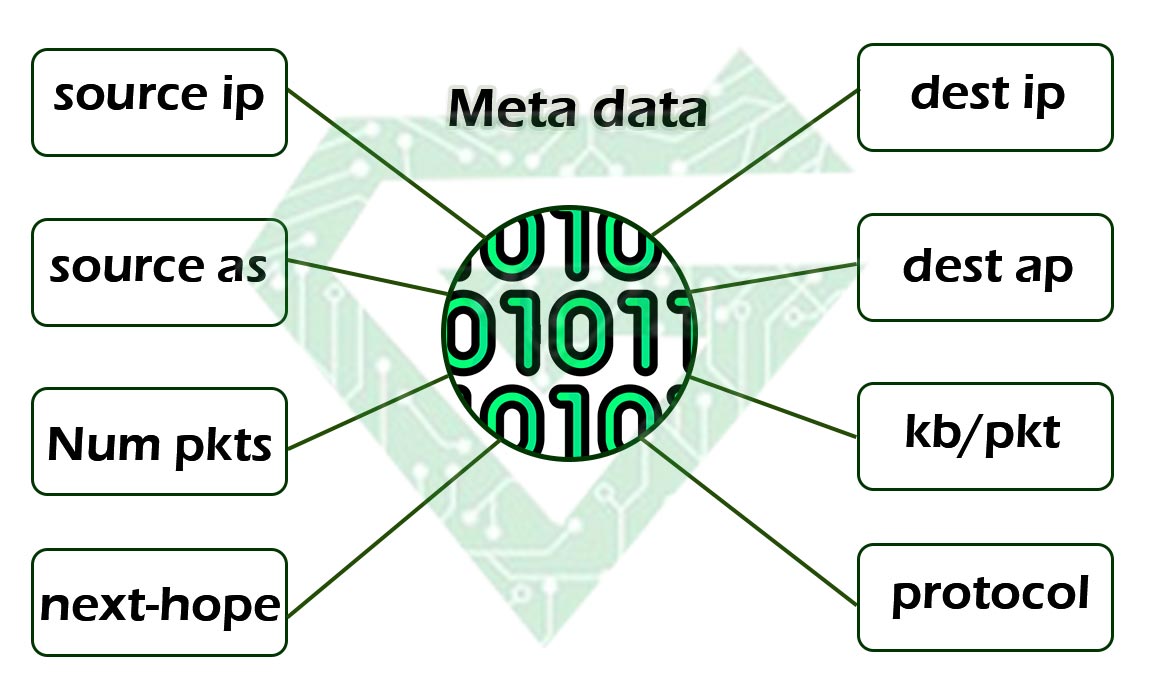
NetFlow is a network protocol developed by Cisco that collects and monitors IP network traffic. It gives detailed information about who is communicating with whom, how much data is being transferred and when it’s happening super useful for network administrators.
In simple terms:
NetFlow is like a security camera for your network traffic. It watches packets going through your routers or switches and summarizes them into “flows”. Groups of packets with the same source, destination, ports and protocol.
What does A NetFlow record include?
- Source and destination IP addresses
- Source and destination ports
- Protocol used (TCP/UDP/etc.)
- Number of packets and bytes
- Start and end time of the flow
- Input/output interface
What does the uses of NetFlow?
- Traffic analysis: it means “Who is using the most bandwidth?”
- Security monitoring: Detect DDoS, botnets, anomalies.
- Capacity planning: Plan upgrades based on real usage.
- Billing: Sometimes used by ISPs for usage-based billing.
Why was NetFlow created?
NetFlow was originally developed by Cisco to help network engineers and admins understand what’s really happening inside their networks, beyond just “it’s working” or “it’s down.”
Main reasons NetFlow was made:
- Visibility into Traffic:
Routers and switches normally just forward packets. they don’t remember them. NetFlow changes that by summarizing traffic into “flows” giving insight into:
- Who is talking to whom
- What applications are being used
- How much data is flowing where
- Performance Monitoring:
Helps detect slowdowns, high bandwidth users, or abnormal spikes in traffic. all without needing to look at every single packet. - Security: NetFlow can catch weird traffic patterns, like:
- Malware trying to “phone home”
- Data exfiltration
- DDoS attacks even if you don’t see the contents of packets, the patterns themselves can reveal a lot.
- Troubleshooting & Debugging:
When something goes wrong, NetFlow gives context. For example:
Read more: Internet Control Message protocol (ICMP)
- Did a spike in traffic cause an outage?
- Is one device hogging all the bandwidth?
- Capacity Planning & Optimization:
Companies can use NetFlow data to:
- Plan for bandwidth upgrades
- Balance traffic better
- Avoid overpaying for unused capacity
- Billing or Auditing:
In some environments (like ISPs or universities), NetFlow is used to track usage for billing or accountability.
We can explain NetFlow protocol by this example better:
Without NetFlow → you’re blind to what’s happening on the highway.
With NetFlow → you can see which cars are on the road, where they’re going, and how fast they’re moving. just not what’s inside the trunk.

How does NetFlow work?
- Devices Collect Flow Data
Routers and switches (usually Cisco, but others too) have NetFlow enabled.
These devices watch packets passing through and group them into flows.
What’s a flow?
A flow is a set of packets that share key characteristics, like:
- Source & destination IP
- Source & destination ports
- Protocol (TCP, UDP, etc.)
- Input interface
All traffic from 192.168.1.10 to 8.8.8.8 on port 443 = one flow
- Data is Exported as Flow Records
Once a flow is complete (or times out), the router/switch exports a summary, not the full packets as a NetFlow record.
This record includes:
- Start & end time
- Bytes & packets transferred
- IPs, ports, protocol
- And more, depending on the version
The records are sent to a NetFlow Collector.
- Collector Stores and Analyzes the Data
The NetFlow Collector is a server that:
- Stores the flow records
- Analyzes them
- Generates reports and alerts
You can run collectors using tools like:
- SolarWinds NetFlow Traffic Analyzer
- ntopng
- Elastiflow (on Elastic Stack)
- Scrutinizer, PRTG, etc.
- You View Reports or Dashboards
Now you can log into the NetFlow tool and see:
- Top talkers (who’s using the most bandwidth)
- Application usage
- Traffic trends over time
- Suspicious activity
Read more: All about MPLS Protocol
What are NetFlow component?
This protocol made of three parts that introduce them in continues;
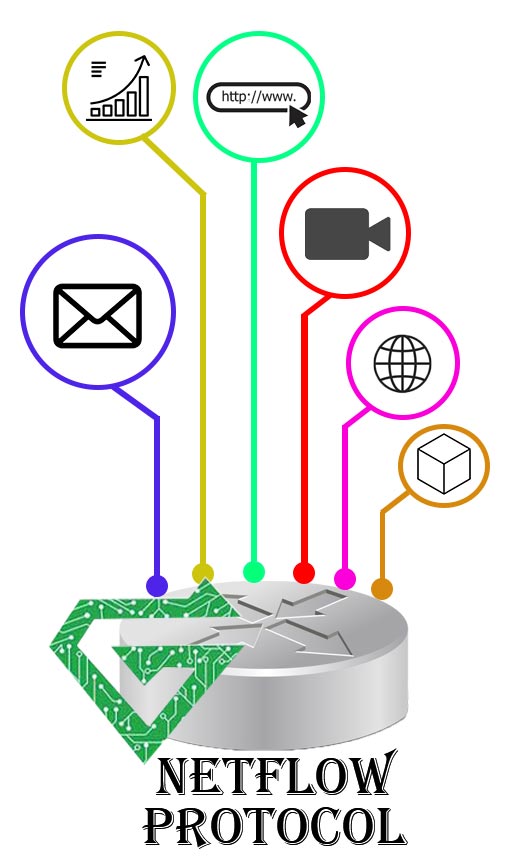
Flow exporter: devices that have this protocol, produce flow records and exports them to a flow collector.
Flow collector: this is a program that running on the server and responsible for receiving, storing and pre-processing flow records received from NetFlow-enabled devices.
Flow analyzer: An analysis application that processes flow records collected by the flow collector into reports, alerts and interpreted results.
Benefit of NetFlow:
- Deep Network Visibility
- See who’s talking to whom on your network.
- Understand traffic flows without needing full packet captures.
- Identify top users, top apps and where the bandwidth is going.
Like having X-ray vision for your network traffic.
- Improved Security Monitoring
- Detect anomalies, DDoS attacks, port scans and data exfiltration.
- Spot infected devices by unusual communication patterns (e.g., botnet behavior).
- Works even if the traffic is encrypted, it uses metadata, not content.
Great for early threat detection.
- Troubleshooting & Debugging
- Quickly figure out if slowness is due to a network issue or just someone streaming 4K YouTube.
- Helps track down misconfigured apps, overused links, or routing problems.
Saves hours of guessing during outages.
- Capacity Planning
- Analyze usage trends over time.
- Identify over- or under-utilized links.
- Plan for upgrades with real data, not guesses.
Smart planning = saving money.
- Policy Enforcement & Compliance
- Monitor if network usage follows company policies.
- Detect prohibited apps (like torrents or gaming).
- Keep logs for audits or legal compliance.
Helps with governance and IT rules.
- Cost Optimization
- Some orgs use NetFlow to do usage-based billing internally.
- Optimize internet links, avoid unnecessary upgrades.
Control bandwidth = control costs.
Bonus Benefits:
- Works even on high-speed networks
- Doesn’t require heavy hardware (summary data is lightweight)
- Compatible with many open-source and commercial tools
What are disadvantages of NetFlow:
While NetFlow is super useful, like any tool, it’s not perfect. Here are the main disadvantages or limitations you should know about:
Disadvantages of NetFlow:
- Can Be Resource-Intensive on Devices
- Collecting and exporting NetFlow data puts extra load on routers/switches (CPU & memory).
- On busy networks, this can impact device performance if not carefully managed.
Solution: Use sampling or dedicated flow exporters.
- No Payload/Content Inspection
- NetFlow only tracks metadata (IP, ports, protocol, etc.), not the actual data inside packets.
- So, it can’t tell you what someone said in an email, just that they sent one.
Good for privacy, but bad if you need full packet details (use Wireshark for that).
- Data Volume Can Be Huge
- Large networks = a massive number of flows = storage and processing challenges.
- Requires a capable collector and disk space to store historical data.
Can get expensive over time.
- Latency in Detection
- Since flow data is usually exported after the flow ends or times out, there’s a delay in seeing traffic.
- Not ideal for real-time detection in high-risk environments.
Some flow tools support “active flow monitoring,” but it’s still not instant.
- Limited Visibility in Encrypted Traffic
- You can see IPs and ports, but not what’s happening inside HTTPS, VPNs, or encrypted tunnels.
- Some attackers use encryption to hide activity.
NetFlow sees who, when, how much — but not what.
- May Miss Short-Lived Connections
- If a connection starts and ends quickly (before the flow timeout), it might not get reported at all.
- Especially a problem in environments with lots of microservices or rapid API calls.
Sampling or short flow timers help, but you might still lose detail.
- Complex Setup for Beginners
- Setting up exporters, collectors, and analyzers can be tricky.
- Understanding the data and configuring good dashboards takes some learning.
Read more: What is Wi-Fi Technology
NetFlow vs SNMP:
| Feature | Netflow | SNMP |
|---|---|---|
| Data collection | Collects detailed traffic data, including flow specifics like IP addresses and volume. | Gathers basic network management data, focusing on device status and general usage. |
| Approach | Passively captures in-depth traffic data for detailed analysis. | Actively polls network devices, providing real-time status updates. |
| Use case | Ideal for detailed traffic analysis, security monitoring, and bandwidth management. | Best suited for basic network health monitoring and performance metrics. |
| Resource intensity | More demanding due to detailed data collection. | Less resource-intensive, suited for quick network snapshots. |
| Flexibility and depth | Offers comprehensive traffic insights, essential for in-depth analysis. | Provides high-level network information, lacking detailed traffic analysis. |
Conclusion:
As we tell you, NetFlow protocol is Another type of cisco protocol that is really useful and practical. This protocol designed by Cisco to develop network and network equipment such as router, switch and etc. if you are appreciated about learning network protocols, click on Atech blogs and read more.