


What is Server CPU

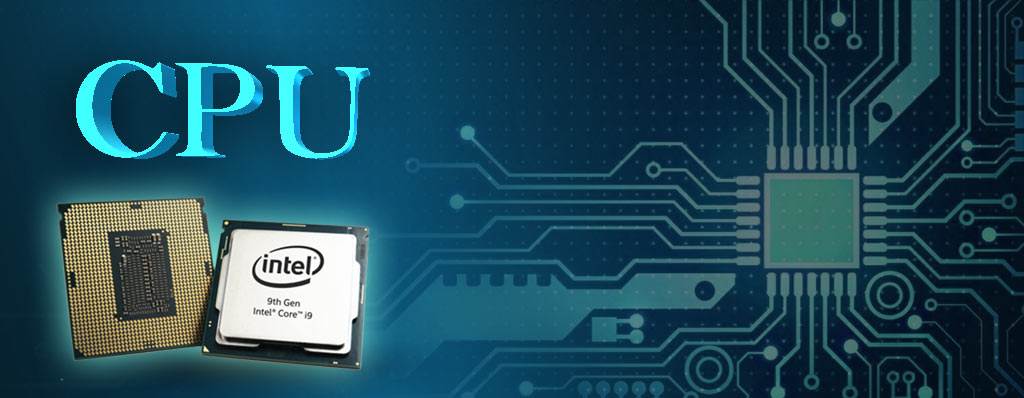
CPU is contraction of Central Processing Unit. maybe the most beautiful definition of CPU is “It is the brain of computer”, so we realize that it is an important hardware in computer and other electronic devices because most of processes depend on it in your system.
If the CPU works well, other equipment be able to work better and even you will be able to make good network and other network equipment such as network switch, network router and others work well.
What is Server CPU:
Central Processing Unit or CPU called central processor or main processor even only processor either. It does the most important process in computer such as controlling input and output operation, logic, etc.
The server CPU, or server processor, serves as a crucial component responsible for processing instructions and commands within a server. the role of Server CPU encompasses tasks such as retrieving and executing instructions, processing data, and undertaking various computational functions like serving web pages and executing database queries.
As the linchpin of server functionality, the CPU Server plays a pivotal role in determining the computing capabilities of servers. The responsiveness and overall performance of a server are heavily influenced by the efficiency of its CPU.
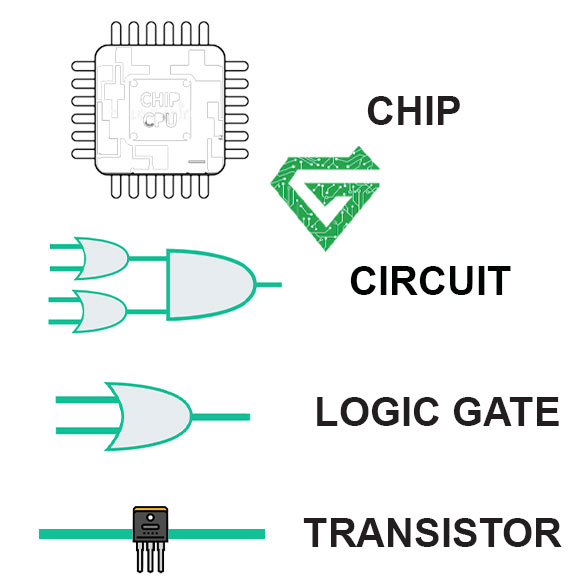
The term CPU refers to a processor that comprises the control unit and process unit, which differentiate the core elements of a computer from external devices such as I/O circuitry and main memory. The trending CPU is now available as microprocessors comprising unit metal-dioxide-semiconductor in the integrated circuits.
An integrated chip comprises a CPU, peripheral interfaces, memory chips, microcontrollers, and other systems on the chip. Few systems employ multiple core processors enclosed in a socket termed CPU cores.
A CPU made up some things, including: Core, Threads and Cache.
-Cores: A core is a processor on the CPU. CPUs today come with multiple cores, and each core can execute instructions independently of and concurrently with the other cores. This means that the CPU can perform multiple tasks simultaneously.
-Threads: A thread is a set of instructions that the CPU can process. With additional threads, each core can switch from one set of instructions to another while it waits for the first set to load and back. This would be similar to a factory employee working two assembly lines. When there’s a gap in one assembly line, that employee can simply turn to the other and begin working on a second task. Threads improve efficiency, throughput, and computational speed.
-Cache: Cache is a type of memory that the CPU uses to store frequently-used instructions. This allows the server to access these instructions quickly, which speeds up performance.
Read more: What is HP Server Hard Drive
Essential Ingredient of Influencing Server CPU Performance:
The efficiency of a server is intricately tied to the performance of its CPU. Several key factors influence the basic features and functionalities of a server CPU, shaping its overall capabilities.
- Number of Processors
The quantity of processors in a server holds substantial sway over its performance. The greater the number of processors, the swifter and more proficient the server becomes. Multiple processors empower the server to execute a higher volume of instructions concurrently, enabling the CPU to manage more intensive workloads within the same timeframe. Network servers commonly exhibit varying processor counts, with single-processor and dual-processor servers being prevalent in both small and large workloads. Single-processor servers are aptly suited for small to medium workloads, while dual-processor servers, with augmented processor speed and Ram server, deliver heightened performance and stability, especially under demanding workloads.
- CPU Socket
The server CPU socket serves as the crucial link between the CPU processor and the Motherboard Server. It ensures the precise insertion of the CPU’s circuit chip. The CPU socket facilitates seamless replacement of the server CPU while safeguarding against damage during insertion or removal. The count of CPU sockets in a server aligns with the number of CPUs that can be installed. Typically, servers support 1/2/4/8/16/32 CPU sockets. A single-socket server accommodates a solo processor, while a 4-socket server can concurrently run 4 processors. The prevailing perception is that 2-socket servers cater to a significant portion of the SMB market, while 4-socket servers are positioned in the mid to high-end market segments.
- CPU Cores
A server CPU core is a tangible component vital to its functioning. Multi-core processors possess the ability to execute a greater number of instructions within the same timeframe. Furthermore, these processors facilitate smoother program execution and demand less power, thereby significantly enhancing server performance. An Intel Xeon Scalable server processor typically features 8 to 32 cores. Additionally, processors with more or fewer cores are available for diverse application scenarios. While a higher count of CPU cores generally signifies enhanced performance, determining the optimal number of CPU cores hinges on the specific requirements of your IT environment and workloads.
- CPU Threads
What is threading in CPU? It constituting sets of instructions or code for concurrent programming execution, play a pivotal role in server CPU performance. A single server CPU core can support 2 threads. In the scenario of an 8-core CPU with two threads per core, the CPU boasts 16 threads for task execution. Multithreading empowers a CPU to run multiple threads of code concurrently, handling concurrent tasks within a process simultaneously. Threads wield significant influence over server CPU performance, particularly in determining the server’s operational capacity within a specified timeframe. In scenarios involving resource-intensive processes, a CPU with numerous threads is preferable.
Types of Server CPU:
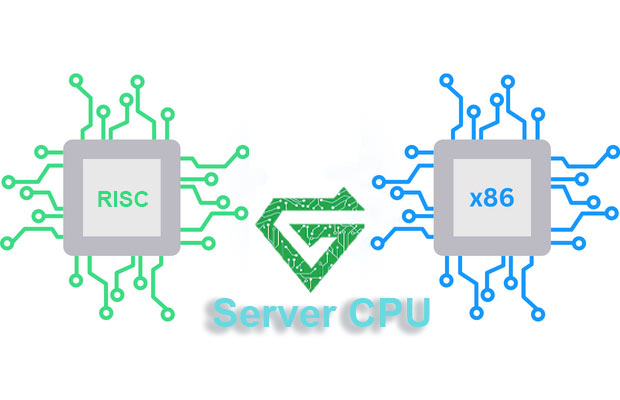
Server CPU has two main types include: x86 and RISC.
- X86 is the most common type of processor in servers. Some companies produce x86 such as Intel and AMD. This type of Server CPU (X86) is designed for general-aim computing. It can use for different tasks like web hosting, database management and file sharing.
- RISC processor is designed for specific tasks, it often uses for high performance server. RISC is made by some companies like IBM and Oracle.
The type of server processor you need depends on the type of server you are using. If you are using a general-purpose server, an x86 processor is likely the best choice. If you are using a high-performance server, a RISC processor may be the better choice.
Types of Server CPU brands:
In the realm of server CPUs, several renowned brands are widely recognized for their exceptional processing performance, advanced manufacturing technologies, and reliability. Here are some highly acclaimed brands in the server CPU space:
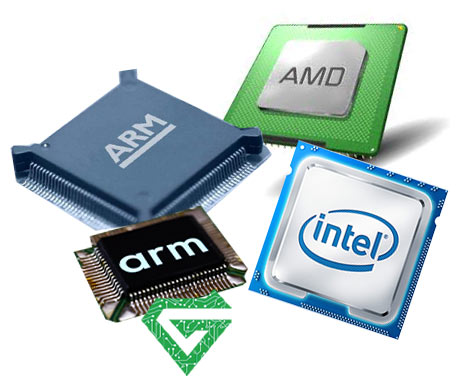
Intel
Intel CPU stands as a global leader in semiconductor and computing technology innovation. Its Xeon series of server processors is one of the most popular choices in the industry. The Xeon processors are known for their robust multicore performance, high scalability, and architecture optimized for server workloads.
AMD
Advanced Micro Devices (AMD) is another company making a significant impact in the server CPU market. The EPYC series of server processors from AMD has gained praise for outstanding performance, a high number of cores, and advanced security features. AMD server CPU focus on providing performance while emphasizing energy efficiency and cost-effectiveness.
IBM Power Systems
IBM’s Power Systems series CPUs are designed to meet enterprise-level computing needs. These processors employ a unique architecture, providing robust support for large-scale data processing and high-performance computing. IBM’s processors excel in handling complex workloads.
ARM
While ARM CPU architecture is widely popular in the mobile device space, it is gradually entering the server market. Some manufacturers adopt ARM architecture to design server CPUs, offering high energy efficiency and adaptability, especially suitable for cloud computing and edge computing scenarios.
These renowned brands represent leaders in the server CPU domain, driving technological advancements and meeting the high demands for processing performance and reliability in various application scenarios. When choosing server CPUs, enterprises and data centers often consider products from these brands to meet their specific requirements.
How does a server CPU work:
When looking for a server CPU, it’s important to factor in CPU performance. Some do this by multiplying the number of cores by the number of threads to get a maximum number of instructions that the CPU can process at once. Because there are more factors at play regarding the number of instructions a given CPU thread can handle, it is best to consider thread count in light of what your website or application needs to accomplish.
If multitasking, serving high-res videos, or complex, CPU-heavy workloads, you should prioritize the number of cores. As you know at the first of this article, we explained about uses and tasks of server CPU, and study more about its working;
Fetch: The CPU retrieves instructions from memory, interprets them, and determines the next operation to be performed.
Decode: All instructions or commands undergo translation into assembly instructions. During this stage, the server CPU decodes the assembly code, converting it into understandable binary instructions.
Execute: The CPU carries out instructions using calculations and technical algorithms, producing processed data as output.
Store: Following the execution of instructions, the CPU stores the output data back into the memory. This sequence of operations forms the core functioning of a server CPU, enabling it to process and manage data effectively.
Survey some features of CPU:
The performance of the CPU is entirely dependent on the features it has:
- Cache Memory:
The cache is the small memory inside the processor; it fetches the data from the main memory and sends it to the CPU. It has three types, L1 or Layer 1, L2 or Layer 2, and L3 or Layer 3. Each layer’s working, and sizes are different, as follows, L1 > L2 > L3.
- Cores:
Processors designed in recent days are multi-core. These cores are independent of each other and consist of their cache memory. They help in parallel processing to increase the efficiency of the system.
- Speed:
The speed of the CPU is usually measured in GHz or MHz. A processor with more frequency performs the task faster. A dual-core processor with less frequency runs faster than a single-core processor with more frequency.
- Multithreading:
There are two logical cores in the physical unit that works parallelly. The entire process speeds up with the increasing number of cores. These are commonly used in virtualized environments, where the administrators assign dedicated workloads to different logical cores.
- Compatibility:
The processor should support the memory modules. They should be compatible with the motherboards of the system.
- Bandwidth:
The speed at which communication occurs between the main memory and USB controllers. The bandwidth of multi-core processors is greater than that of single-core processors.
How to choose the Right Server CPU:
we’ve covered the basics of CPUs, now talk about how to choose the right one for your server. When choosing a CPU for your server such as HPE server, there are a few considerations you need to take into account such as technical specs, how you’ll be using the CPU, budget, etc.
While you want to choose a CPU for your server, the technical considerations should be front and center. Without the right performance and durability from your CPU, the other considerations and factors will not matter much.
- Number of Cores: A single core can only execute one set of instructions at a time. Therefore, the more cores a CPU has, the more instructions it can handle at once. This means that it will be faster overall.
- Number of Threads: As mentioned previously, with additional threads, each core can switch from one set of instructions to another while it waits for the first set to load and back. More threads mean increased efficiency, throughput, and computational speed.
- Clock Speed: Clock speed is measured in gigahertz (GHz) and is the number of cycles the CPU can perform in a second. Overall performance can differ between CPUs based on variables like age and architecture. But in general, the higher the clock speed, the faster the processor.
- ECC memory support: Xeon CPUs support ECC memory. This means that they can detect and correct errors in data, which improves reliability. If you need this feature, you should choose a Xeon CPU.
- Performance: Both Intel Xeon CPUs and Ryzen CPUs offer high performance. However, Xeon CPUs are faster overall due to their higher clock speeds and additional cores.
Making sure about choosing the right one of CPU:
When it comes to choosing the right CPU for your needs, there are a few things you need to take into account. First, think about what kinds of tasks your server will be performing. If your server will be primarily used for tasks that require a lot of processing power, like video editing or 3D rendering, you’ll want to get a CPU with a high clock speed and as many cores as possible.
On the other hand, if your server will mostly be used for tasks that don’t require a lot of processing power, like web hosting or email, you can get away with a less powerful CPU. Another thing to consider is how much money you’re willing to spend. The price of CPU can range in price from a few hundred dollars to several thousand dollars, so it’s important to set a budget before you start shopping.
Finally, keep in mind that the CPU is just one part of your server, and it’s important to choose other components that will work well with your CPU. For example, if you’re planning on using a lot of CPU-intensive applications, you’ll want to make sure you have enough RAM to support them.
Choosing your CPU means also choosing the right server and infrastructure solution as a whole. The atech.ae can help you in your decision to choose the right CPU for your servers. Budget, technical considerations, and an understanding of what the future looks like for your business are just the start.