


What is Wi-Fi Technology

Wi-Fi (short for Wireless Fidelity) came into our lives as a result of the growing need for wireless communication, especially for accessing the internet without being tied to cables. Wi-Fi is based on radio wave technology. In 1997, the Institute of Electrical and Electronics Engineers (IEEE)created a wireless standard called IEEE 802.11. This was the technical foundation for Wi-Fi. But it was still slow and not widely used yet.
Once Wi-Fi started being added to laptops, routers, and smartphones, it became incredibly popular. People loved being able to move freely with their devices. tittle by little, it extended and most of devices even network equipment, used this technology. in this article, we will tell you what is Wi-Fi Technology and its types.
What is Wi-Fi Technology?
Wi-Fi (short for Wireless Fidelity) is a technology that allows electronic devices to connect to the internet or communicate with one another wirelessly using radio waves. It’s based on the IEEE 802.11 standards, developed by the Institute of Electrical and Electronics Engineers (IEEE).
Key Concepts of Wi-Fi Technology:
Here, there are some key features and we will explain them in continues widely to you.
-
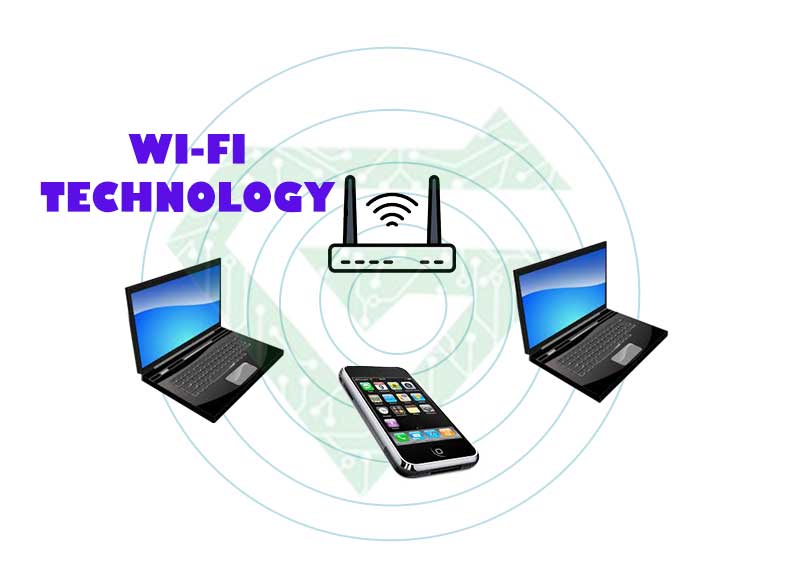
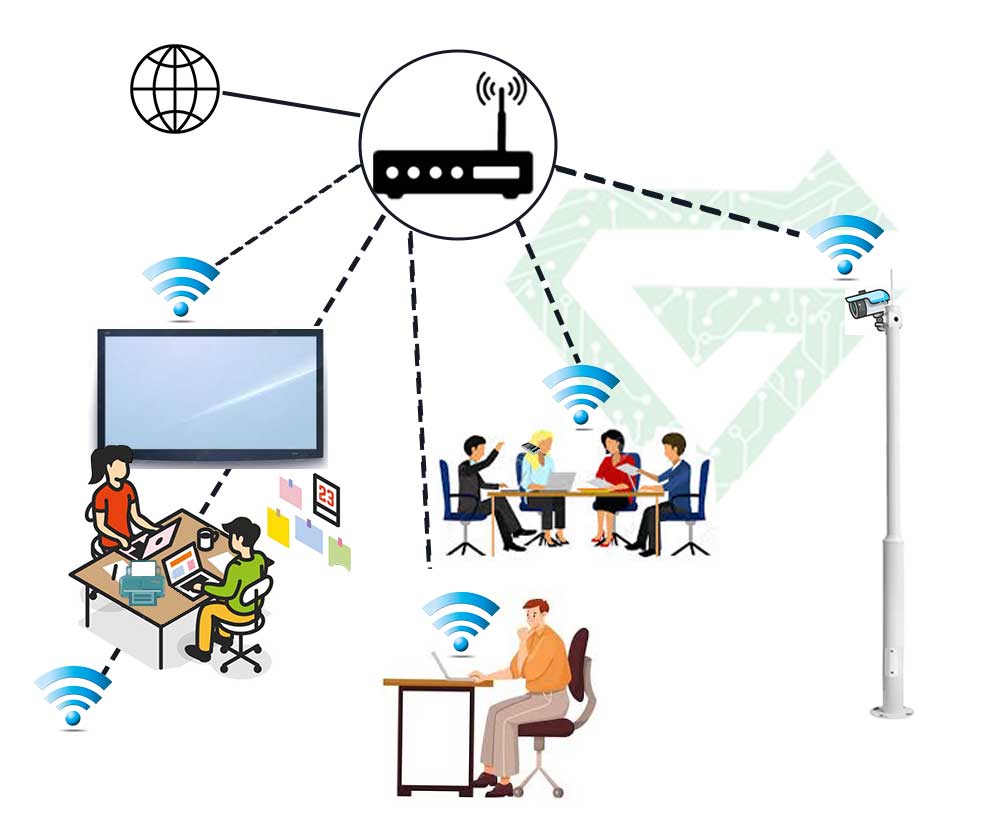
How it works: A Wi-Fi enabled device (like a phone or laptop) connects to a wireless router, which is connected to the internet via a wired connection (like DSL, cable or fiber). The router then transmits and receives data using radio frequencies, allowing your device to access the internet without physical cables.
-
Frequency bands: Wi-Fi typically operates on two main bands:
-
2.4 GHz (longer range, but slower speeds and more interference)
-
5 GHz (faster speeds, shorter range, less interference)
Newer versions, like Wi-Fi 6E, also use the 6 GHz band.
-
-
Security: Wi-Fi networks can be encrypted using protocols like WPA2 or WPA3 to protect data from unauthorized access.
-
Use cases: Wi-Fi Technology is used in homes, businesses, public places (like cafes or airports), and increasingly in smart devices (IoT) to enable internet connectivity.
Benefit and limitation of Wi-Fi Technology:
Benefits:
-
Wireless freedom and mobility
-
Easy to set up and expand
-
Supports multiple devices
Limitations:
-
Range can be limited by walls or interference
-
Speed and stability vary depending on signal strength and congestion
Read more: All about SSL protocol
What devices have Wi-Fi Technology?
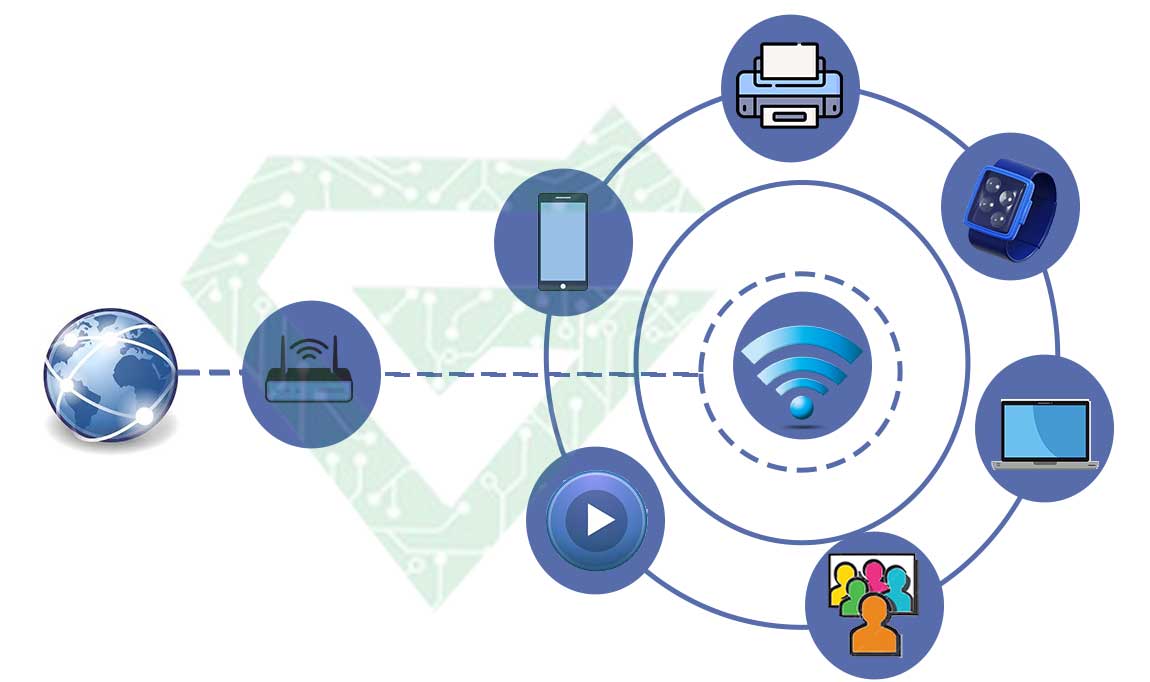
For answering to this question, We can say; Many modern devices come with built-in Wi-Fi capability. There is a list of common types:
Network equipment
- network switch (Cisco switch and other brands)
- server (HP server and other brands)
- network router (cisco routers and other brands)
- cctv
- firewall (Fortinet and other brands)
Consumer Electronics
- Smartphones
- Tablets
- Laptops and desktops
- Smart TVs
- Game consoles
- Smartwatches
Smart Home Devices (IoT)
- Smart speakers
- Smart thermostats
- Smart lights
- Security cameras and doorbells
- Robot vacuums
- Smart plugs and appliances
Office and Productivity
- Wireless printers
- Scanners
- Projectors
- VoIP phones
Medical and Health Devices
- Some health monitors, smart scales, and fitness trackers
Other Systems
- Drones
- Smart cars and infotainment systems
- Wi-Fi cameras
- Point-of-sale (POS) systems in stores
Basically, if a device needs internet or network access and is designed for mobility or remote access, it likely has Wi-Fi built in.
What are standards of Wi-Fi Technology:
The standard for Wi-Fi is called IEEE 802.11, defined by the Institute of Electrical and Electronics Engineers (IEEE). This standard has gone through many versions over the years, each improving speed, efficiency, and security.
| Wi-Fi Version | IEEE Standard | Max Speed | Frequency | Year Released |
|---|---|---|---|---|
| Wi-Fi 1 | 802.11b | 11 Mbps | 2.4 GHz | 1999 |
| Wi-Fi 2 | 802.11a | 54 Mbps | 5 GHz | 1999 |
| Wi-Fi 3 | 802.11g | 54 Mbps | 2.4 GHz | 2003 |
| Wi-Fi 4 | 802.11n | 600 Mbps | 2.4 & 5 GHz | 2009 |
| Wi-Fi 5 | 802.11ac | ~3.5 Gbps | 5 GHz | 2014 |
| Wi-Fi 6 | 802.11ax | ~9.6 Gbps | 2.4 & 5 GHz | 2019 |
| Wi-Fi 6E | 802.11ax (extended) | ~9.6 Gbps | Adds 6 GHz | 2021 |
| Wi-Fi 7 | 802.11be (upcoming) | >30 Gbps | 2.4, 5, 6 GHz | 2024–2025 (early rollout) |
What are the difference between Wi-Fi Standards?
-
Speed: Each version gets faster.
-
Capacity: Newer versions support more devices at once.
-
Latency: Lower in newer versions (important for gaming and video calls).
-
Efficiency: Better data handling in crowded environments (like airports).
-
Security: Newer standards support stronger encryption like WPA3.
Read more: All about CCTV and its types
What is the band frequencies of wi-fi:
The band frequencies of Wi-Fi refer to the specific ranges of the radio spectrum that Wi-Fi devices use to communicate. Here’s a breakdown of the main Wi-Fi frequency bands:
1. 2.4 GHz Band
-
Range: Longer range, better wall penetration
-
Speed: Slower compared to higher bands
-
Common in: Older devices, and still widely supported
-
Crowded: More interference from other devices (microwaves, Bluetooth, etc.)
2. 5 GHz Band
-
Range: Shorter than 2.4 GHz, weaker through walls
-
Speed: Faster than 2.4 GHz
-
Less interference: Generally cleaner signal
-
Used in: Most modern routers and devices (Wi-Fi 5, Wi-Fi 6)
3. 6 GHz Band (Wi-Fi 6E and Wi-Fi 7 only)
-
Range: Shortest among the three
-
Speed: Very fast, ideal for high-performance devices
-
Low interference: Newer, less congested
-
Supported by: Latest devices and routers (Wi-Fi 6E+)
Summary Table:
| Band | Speed | Range | Interference | Used By |
|---|---|---|---|---|
| 2.4 GHz | Lower | Longer | High | Wi-Fi 1–6 |
| 5 GHz | Higher | Medium | Medium to Low | Wi-Fi 5–6 |
| 6 GHz | Highest (so far) | Shortest | Very Low | Wi-Fi 6E, Wi-Fi 7 |
Channels of Wi-Fi:
Wi-Fi channels are smaller subdivisions within each frequency band (2.4 GHz, 5 GHz, and 6 GHz) that help separate and organize wireless signals. They prevent interference between networks and devices by giving each Wi-Fi connection its own slice of the frequency band.
Wi-Fi Channels by Frequency Band:
2.4 GHz Band
-
Has 14 channels, but only channels 1 to 11 are used in most countries.
-
Each channel is 20 MHz wide.
-
Only 3 channels don’t overlap: 1, 6, and 11
-
These are the best for avoiding interference.
-
| Channels | Overlap? | Best Choices |
|---|---|---|
| 1–14 | Most overlap | 1, 6, 11 |
5 GHz Band
-
Has 23+ non-overlapping channels (depending on region).
-
Channels are 20, 40, 80, or 160 MHz wide.
-
Less interference, higher speed, more options.
-
Common channels: 36, 40, 44, 48, 149, 153, 157, 161, 165
| Channel Group | Usage |
|---|---|
| 36–64 | Home use |
| 100–144 | DFS* (shared with radar) |
| 149–165 | Home/Enterprise use |
DFS = Dynamic Frequency Selection – routers may switch channels automatically if radar is detected.
6 GHz Band (Wi-Fi 6E & 7)
-
New and very clean spectrum.
-
Offers up to 59 channels (non-overlapping).
-
Wide bandwidths: up to 320 MHz in Wi-Fi 7.
-
Very low interference, great for high-speed connections.
Channels are Matter because:
-
Interference: Using overlapping channels (especially on 2.4 GHz) causes slowdowns.
-
Optimization: Choosing the right channel can improve speed and stability.
What is the Rooming of Wi-Fi:
Wi-Fi roaming is when a device automatically switches from one wireless access point (AP) to another within the same network as you move around, without disconnecting from the internet.
Example:
In a big house with two Wi-Fi routers or mesh nodes:
-
As you walk from one room to another, your phone “roams” from the closer router in Room A to the one in Room B.
-
This switch should happen seamlessly, so your connection (e.g., a video call) doesn’t drop.
When Does Wi-Fi Roaming Happen?
-
You have multiple access points (APs), such as in:
-
A mesh Wi-Fi system
-
Office networks with several routers
-
Homes using range extenders or extra routers
-
-
Your device notices a stronger signal nearby and switches over
Good Roaming Requires:
-
Same Wi-Fi network name (SSID) across all routers/APs
-
Good overlap between signals (not too far apart)
-
Support for fast roaming protocols like:
-
802.11r: fast transition
-
802.11k: helps find the best AP
-
802.11v: helps decide when to roam
-
Roaming Isn’t Always Perfect:
-
Some devices stick to a weak signal too long before switching (called “sticky clients”)
-
Roaming quality depends on both Router/AP features and device behavior
Read more: What is NetFlow protocol
Is Wi-Fi great technology?
Yes, Wi-Fi Technology is a great technology. it has revolutionized how we connect to the internet and communicate wirelessly.
Why Wi-Fi Is Great:
1. Wireless Freedom
-
No need for physical cables
-
Move around your home, office or public spaces freely
2. Accessibility
-
Almost all modern devices support Wi-Fi Technology
-
Easy and affordable to set up
3. Scalability
-
Supports many devices at once
-
Can expand with mesh networks or additional access points
4. Speed & Performance
-
With modern standards (Wi-Fi 6/6E/7), speeds can rival wired Ethernet
-
Low latency makes it suitable for gaming, video calls, streaming
5. Evolving Standards
-
Wi-Fi continues to improve in speed, capacity, and security with each generation
-
New features like OFDMA, MU-MIMO, and WPA3 enhance efficiency and safety
But It Has Limitations:
-
Signal weakens with distance and walls
-
Can suffer from interference (especially 2.4 GHz)
-
Shared bandwidth can slow down under heavy use
Types of Wi-Fi Technology?
Wi-Fi can be categorized into several types, depending on what you’re asking about such as generations (standards),frequency bands, or network setups. Here’s a breakdown of the main types:
1. Wi-Fi Generations (Standards)
These define the speed, features, and capabilities:
| Name | IEEE Standard | Speed | Release |
|---|---|---|---|
| Wi-Fi 1 | 802.11b | 11 Mbps | 1999 |
| Wi-Fi 2 | 802.11a | 54 Mbps | 1999 |
| Wi-Fi 3 | 802.11g | 54 Mbps | 2003 |
| Wi-Fi 4 | 802.11n | 600 Mbps | 2009 |
| Wi-Fi 5 | 802.11ac | ~3.5 Gbps | 2014 |
| Wi-Fi 6 | 802.11ax | ~9.6 Gbps | 2019 |
| Wi-Fi 6E | 802.11ax (6 GHz) | ~9.6 Gbps | 2021 |
| Wi-Fi 7 | 802.11be | 30+ Gbps | 2024–2025 |
2. Frequency Bands (Signal Types)
Wi-Fi uses different radio frequency bands:
-
2.4 GHz: Long range, more interference, slower speed
-
5 GHz: Shorter range, faster speed, less interference
-
6 GHz: (Wi-Fi 6E/7 only) Very fast, less crowded, short range
| Band | Range | Speed | Common in |
|---|---|---|---|
| 2.4 GHz | Long | Slower | All devices |
| 5 GHz | Medium | Faster | Wi-Fi 5 and 6 |
| 6 GHz | Short | Fastest | Wi-Fi 6E, Wi-Fi 7 |
3. Network Types (Setups/Architectures)
| Type | Description |
|---|---|
| Single Router | Basic home Wi-Fi using one router |
| Mesh Wi-Fi | Multiple access points/nodes for better coverage |
| Wi-Fi Extender | Boosts range of existing Wi-Fi, not as efficient as mesh |
| Hotspot | A phone or device sharing its mobile data via Wi-Fi |
| Enterprise Wi-Fi | Large-scale setups with managed access points and roaming |
4. Security Types (Encryption Protocols)
-
WEP (outdated and insecure)
-
WPA / WPA2 (standard for years)
-
WPA3 (most secure and modern)
| Security Type | Safe? | Used in |
|---|---|---|
| WEP | ❌ No | Very outdated |
| WPA | ❌ Weak | Old routers |
| WPA2 | ✅ Good | Most networks today |
| WPA3 | ✅ Best | Newest devices only |
Conclusion:
Wi-Fi is one of the most essential and widely used technologies in the modern world. It’s not perfect, but it continues to evolve and it plays a central role in everything from smart homes to high-speed workspaces.
If the article of “Wi-Fi Technology” was useful and practical, you can see other our posts in Atech blogs.