


Comparing Managed and Unmanaged Switches

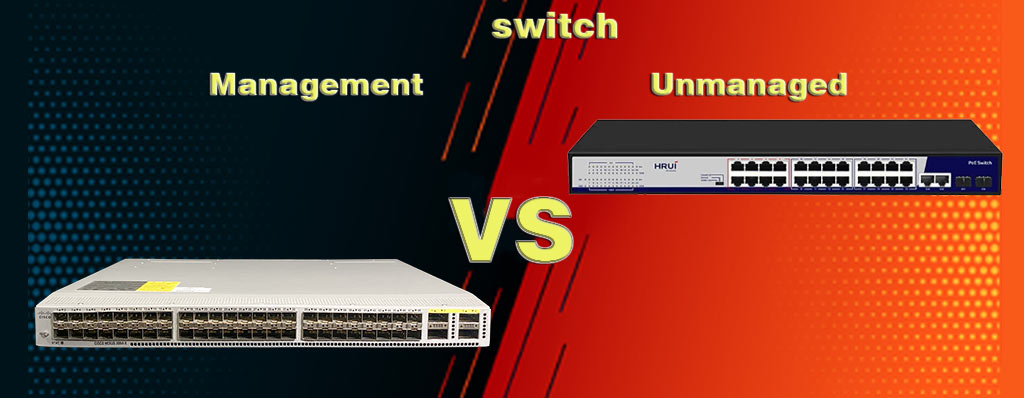
Switches are one of the important products in network equipment. They have two categories managed and unmanaged switches. Which one is better? What is different between managed and unmanaged switches? We want to explain and comparing them together and talk about features of managed switches and features of unmanaged switches in this article.
Comparing Managed and Unmanaged Switches:
Before we compare them together, at first, we are going to know what are managed and unmanaged switches, then compare them.
Managed Switches:
Managed switches can perform the most complete and comprehensive work in a network. These network switches are used in the core layer of a network, especially in large and complex data centers, due to their diverse and high-quality features such as: VLAN, CLI, SNMP, IP routing, QoS, etc.
It is worth noting that due to different features and different network measurements, there are other switches on the market with easier management, which are called smart switches.
This switch can only provide part of the capabilities of managed switches. To learn more about the types of Cisco managed switches, click on the article link.
When a company considers limited costs for purchasing a switch due to its limited needs, smart switches are recommended here because they can control their needs. Managed switches, such as Cisco CBS business switches, can perform the most complete and comprehensive work in a network.
These network switches are often used in the core layer of a network, especially in large and complex data centers, due to their diverse and high-quality features such as VLAN, CLI, SNMP, IP routing, QoS, etc. When a company considers a limited cost for purchasing a switch due to its limited needs, Smart switches are recommended here because they can meet many of their needs.
Management Switches are network devices that are used to control and manage traffic on a network. These switches have more advanced capabilities than unmanaged switches and allow network administrators to have more settings and control over their network.
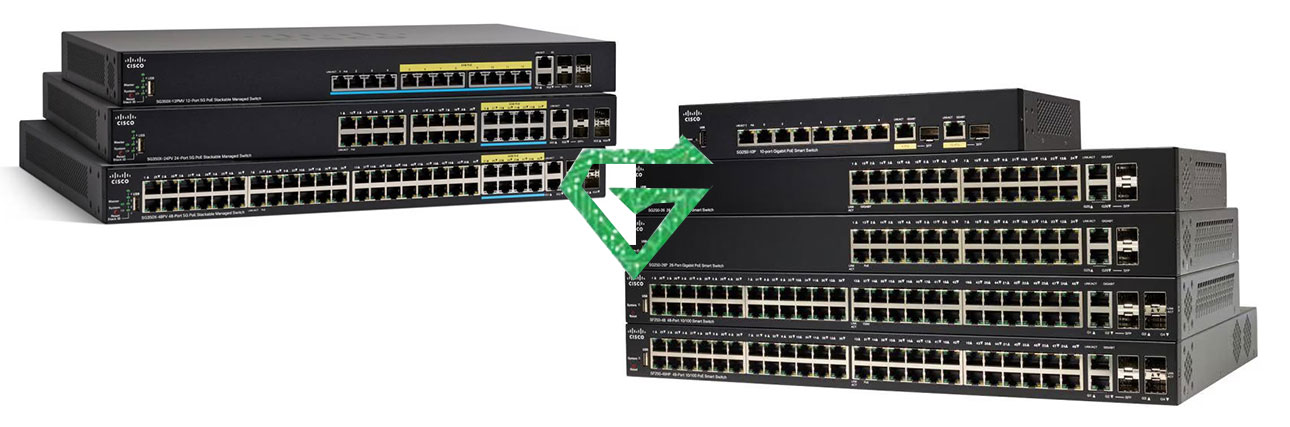
Among the 4 groups of Cisco CBS switches, the CBS 220, 250, and 350 series switches are managed and have all the features mentioned above, hence they are a suitable option for medium to large businesses. You can check out the CBS switch comparison article below and read it in full.
Unmanaged Switches:
In comparing managed and unmanaged switches, perhaps the best definition is that managed switches, or the intelligent brains of the network, control and manage it, while unmanaged switches serve as a simple tool for the network administrator.
Unmanaged switches are a type of plug and play Ethernet network switch. In fact, it can be said that all users need to do is connect it to the network and wait for it to start working because these switches do not require any configuration.
In general, when you need a few ports to meet your needs, these switches can help you in this regard. Unmanaged Switches are network devices that operate by default and without the need for complex settings.
These switches act as a simple connection point in the network and do not have the ability to manage and control more advanced than managed switches. The Cisco CBS 110 Series switches are in this category. A switch is a communication device that connects several devices (such as computers, servers and etc.) in a LAN.
Read more: What is Cisco Switch
What are the features of managed switches?
- Virtual LANs (VLANs): This feature allows network administrators to divide the network into virtual segments. Using VLANs, devices are divided into distinct groups and access between groups is controlled.
- Quality of Service (QoS): Using QoS, network administrators can set priorities and rules for network traffic. This allows them to prioritize sensitive traffic such as voice and video over other traffic.
- Spanning Tree Protocol (STP): This protocol allows network administrators to prevent infinite loops from forming in the network. STP automatically creates a spanning tree topology for the network and blocks unnecessary paths.
- Port Mirroring: This feature allows network administrators to redirect traffic from one specific port to another. This feature is useful for traffic analysis and debugging.
- Security Features: Managed switches typically have advanced security features such as detecting and preventing network attacks such as ARP Spoofing, enhancing security using VLANs, and other capabilities.
- Remote Management: Managed switches often have remote management capabilities. This allows network administrators to remotely access the switch through a graphical user interface (GUI) or command-line interface (CLI).
What are the features of unmanaged switches?
- Data packet conversion: Unmanaged switches receive data packets and forward them to the appropriate port based on the destination address. This enables communication and forwarding of information between different devices on the network.
- Automation: Unmanaged switches operate automatically and do not require advanced configuration. They automatically forward traffic through the appropriate ports.
- Increased number of ports: Unmanaged switches often provide multiple ports for connecting devices to the network. This allows you to connect the maximum number of devices to the network.
- Simple operation: Unmanaged switches are generally very simple and easy to use. They can be installed and configured without the need for complex settings and work automatically. Unmanaged switches are suitable for use in small and simple networks that do not require advanced control and management. They are generally used in homes, small offices, or small work environments.

Difference between managed and unmanaged switches:
Cisco switches are very popular during people, Perhaps the reason for this is the high capabilities provided by these devices. Given the definitions of managed and unmanaged switches mentioned above, it is not difficult to distinguish the difference between these switches, but in general, managed switches are configurable and you can have a specific function in your computer network.
Other features of Cisco managed switch types include LAN traffic prioritization, which means that information with higher priority is transferred faster. Managed switches have an operating system that uses processor power to apply different settings to each of the network ports, and in this way you can have better management of the switch’s input and output ports.
But unmanaged switches are actually a plug and play device, just plug it in and connect the desired devices to the switch ports and you can no longer have any special management.
Unmanaged switches cannot be configured to achieve a specific function, but only have the ability to apply a series of basic settings to the MAC addresses. The table below shows some of the differences between managed and unmanaged switches.

Which one is better for business?
We can say yes or no because your choice depends on your network whether it is large or small in scale. For example, many really small business networks do not have managed switches because what they need are the basic functions of Ethernet switches.
While for complex business networks or large data centers with thousands of users, managed switches are a must. Managed switches can separate data traffic based on users, guests, backup, management and servers. This not only provides administrators with a better solution to control data traffic but also provides complete protection for the entire network.
Which one is better for Home?
According to information of this survey, most people use 8 and 24 port network switches for their home use. Does this mean that managed switches are more popular in home networking?
If the user feels that they need more control and security for their home use, purchasing a managed switch can be the best option. However, if the user does not want to spend a lot of time configuring the purchased switch, an unmanaged switch is more suitable for them.
Conclusion:
Managed Switches are more expensive than Unmanaged Switches, but these switches have more advantages and excellent network control and management capabilities than Unmanaged Switches and can certainly improve the performance of your desired network.
By fully examining all the pros and cons of both models of switches, we will conclude that in any network, the needs of that work group should first be fully examined and that as the network needs of that group grow, they will certainly need to control and monitor the traffic passing through their network, so they should consider that they will need Managed Switches.
Also, when a group is planning to expand advanced network services such as Wireless LAN or IP Telephony in the near future, then Managed Switches can be a good choice for these new technologies. But as long as the needs of a group are simple, such as home use or use in small offices, Unmanaged Switches can be a good option.
in this article, we focus on features of managed switches and features of unmanaged switches, after knowing them well, we compare them together. we hope, this article was useful for you. see other blogs in Atech blogs.