


HP ProLiant DL380 Gen9 Server
The HP ProLiant DL380 Gen9 Server is a highly versatile and scalable server designed for enterprise-level computing needs. You can order this product and all server accessories such as Ram server, CPU Server, Motherboard Server, Hard server and more in network equipment market. If you want to know more about HPE products, contact us.


HPE 1.6TB NVMe GEN4 Mainstream Performance MU SFF BC U.3 Static MV SSD
The HPE Hard Server 1.6 TB NVMe Gen4 Mainstream Performance MU SFF BC U.3 Static MV SSD is an enterprise-grade solid-state drive designed for balanced performance and reliability in data-intensive workloads.


HPE 1.92TB SAS 12G MU SFF BC Value SAS MV SSD
The HPE 1.92TB SAS 12G MU SFF BC Value SAS MV SSD is a high-performance enterprise-class storage solution designed to deliver reliability, speed, and efficiency for modern data centers and mission-critical applications. It provides 1.92 terabytes of storage capacity in a Small Form Factor (SFF) 2.5-inch design, making it ideal for space constrained server environments.


HPE 16GB Dual Rank X4 DDR4-2400
THE HPE 752370-091 is 16 GB DDR4 module that operates at speeds up to 2133 MHz and has a CL15 latency with extended timings of 15-15-15. It is a high performance memory and is ECC Registered. It conforms to the industry standard DIMM layout of 288 pins and is compatible with computers that take DDR4 DIMM memory. This Dual Rank Memory Comes with 2 Years Warranty.


HPE 2.4TB SAS 12G Mission Critical 10K SFF HDD
The HPE 2.4TB SAS 12G Mission Critical 10K SFF HDD is a server-grade hard drive designed for Hewlett Packard Enterprise (HPE) ProLiant and storage systems that require high performance and reliability. As we said, the HPE 2.4TB SAS 12G Mission Critical 10K SFF HDD is a high-performance that require both reliability and speed. It uses the Serial Attached SCSI (SAS) interface with a 12Gb/s transfer rate, ensuring faster and more consistent data throughput than traditional SATA drives.


HPE 3.2TB NVMe Gen4 High Performance MU SFF BC U.3 PM1735a SSD


HPE 3.2TB SAS 24 G MU SFF BC MV SSD
The HPE 3.2TB SAS 24G MU SFF BC MV SSD is a high-performance enterprise solid-state drive designed for demanding workloads in servers and storage arrays. With a 3.2 TB capacity and a 24 Gbps SAS interface, This HPE hard drive delivers fast data transfer, low latency, and high IOPS for applications requiring rapid access to data.


HPE 3.84TB NVMe RI BC U.3 PM1733a SSD
The HPE 3.84TB NVMe Gen4 High-Performance Read-Intensive SFF BC U.3 PM1733a SSD is a high-performance solid-state drive designed for enterprise environments that demand fast data access and high reliability. With a capacity of 3.84TB, a 2.5" small form factor, and a U.3 PCIe Gen4 NVMe interface, it delivers exceptional speed and endurance.


HPE 3.84TB SAS 12G RI SFF BC Value MV SSD
The HPE 3.84TB SAS 12G RI SFF BC Value MV SSD is an enterprise-grade solid-state drive designed for Hewlett Packard Enterprise servers (HPE) and storage systems. With a storage capacity of 3.84 terabytes, it connects through a 12 gigabit-per-second Serial Attached SCSI (SAS) interface, which is widely used in data centers for its speed and reliability compared to SATA.


HPE 480GB SATA 6G MU SFF BC MV SSD
The HPE Hard Server 480GB SATA 6G MU SFF BC MV SSD is an enterprise-grade solid-state drive designed for Hewlett Packard Enterprise servers and storage systems. It offers 480 gigabytes of storage capacity and uses the SATA 6Gb/s interface, which provides reliable performance for data transfer. The term MU stands for Mixed Use, meaning the drive is optimized for a balance of read and write operations, making it suitable for workloads like databases, virtualization, and general-purpose applications.


HPE 6.4TB SAS 24G MU SFF BC MV SSD
The HPE Hard Server 6.4TB SAS 24G MU SFF BC MV SSD is an enterprise-grade solid-state drive (SSD) designed for high-performance data storage in servers and data centers. Breaking down the terminology; HPE indicates that it’s manufactured or branded for Hewlett Packard Enterprise systems.

As mentioned, servers are powerful computers that are produced and marketed by large companies such as Cisco server, HP server, Dell server, etc. Servers are one of the important network equipment that use in organizations and business places. With high storage capacity, software management capabilities and strong security features, they serve as a powerful tool in providing IT services to organizations.
What is server?
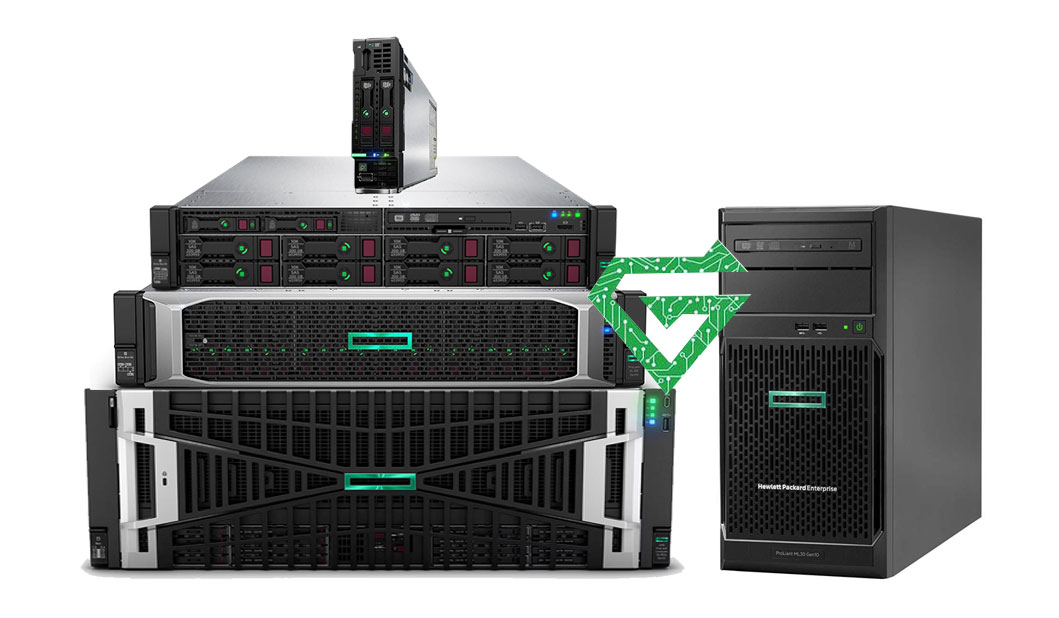
As we told you, servers are computers that has programs or equipment to provide services to other computers, clients and networks. It does in variety types, just depending on the kind of service they offer. In a data center, the physical computer that a server program runs on is also frequently referred to as a server. Servers can provide various functionalities, often called "services", such as sharing data or resources among multiple clients or performing computations for a client. A single server can serve multiple clients, and a single client can use multiple servers. A client process may run on the same device or may connect over a network to a server on a different device.
How does a server work?
The term server can refer to a physical machine, a virtual machine (VM) or software that's performing server services. A device needs to be set up to listen for client requests across a network connection in order to perform the role of a server. The operating system may include this functionality as an installed application, a role, or a combination of the two.
Servers work in various ways, depending on how the word server is being used. Server operating systems (OSes), such as Microsoft Windows Server 2022, typically process client requests for service within the network and facilitate the linkages with the requested resources.
The windows server operating system from Microsoft has the capability to hear and respond to client requests. The types of client requests the server can handle increase with additional installed roles or services. Another illustration is when an additional application is put on top of an operating system to handle requests from web browsers. A client sends a request over the network whenever it needs data or functionality from a server. The server gets this request and provides the necessary information in response. This is the client-server networking request and response model, commonly referred to as the call and response model.
Servers configured for specific services handle access to specialized resources, such as printer drivers, or to applications, such as file storage, respectively. As part of a single request and response, a server frequently completes a variety of additional tasks, such as confirming the requestor’s identity, making sure the client has permission to access the data or resources requested, and correctly formatting or returning the required response in the expected manner.
Within the Server, the components consist of various IT hardware parts that work together to deliver the functionalities. Every business will have different IT requirements. For instance, a large enterprise data center will need far more power than a server in an office. Server components can be optimized or configured in order to meet these specific needs.
Totally we can say a server does;
- Data storage and retrieval: One of the primary functions of a server is to store and manage data. This data can encompass everything from files and documents to databases and media content. Servers provide a centralized location for storing and retrieving this information, making it accessible to authorized users from various locations.
- Website hosting: When you browse the internet, the web pages you access are typically hosted on web servers. These servers store the website’s files and deliver them to your web browser when you request a page. They handle everything from text and images to videos and interactive features.
- Email services: Email servers manage the flow of electronic messages. They receive, store, and distribute emails to their intended recipients. Additionally, they handle tasks such as spam filtering and user authentication.
Different types of server:
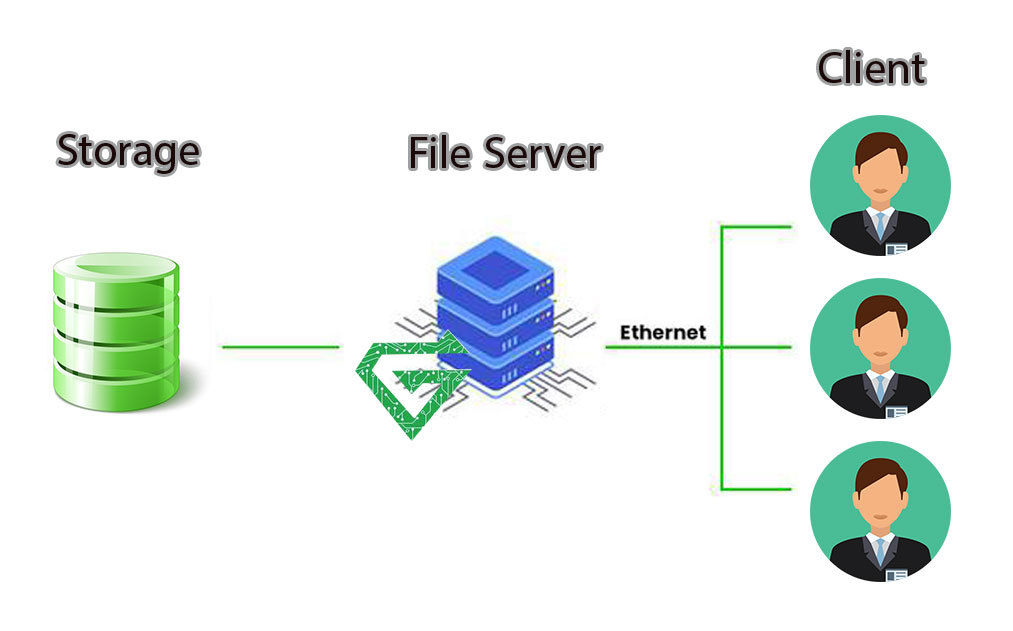
- File Server: A server that stores files and makes them available to other computers on the network.
- Print Server: It has a printer connected to it. Other computers on the same network can use this server to send their print jobs to the printer.
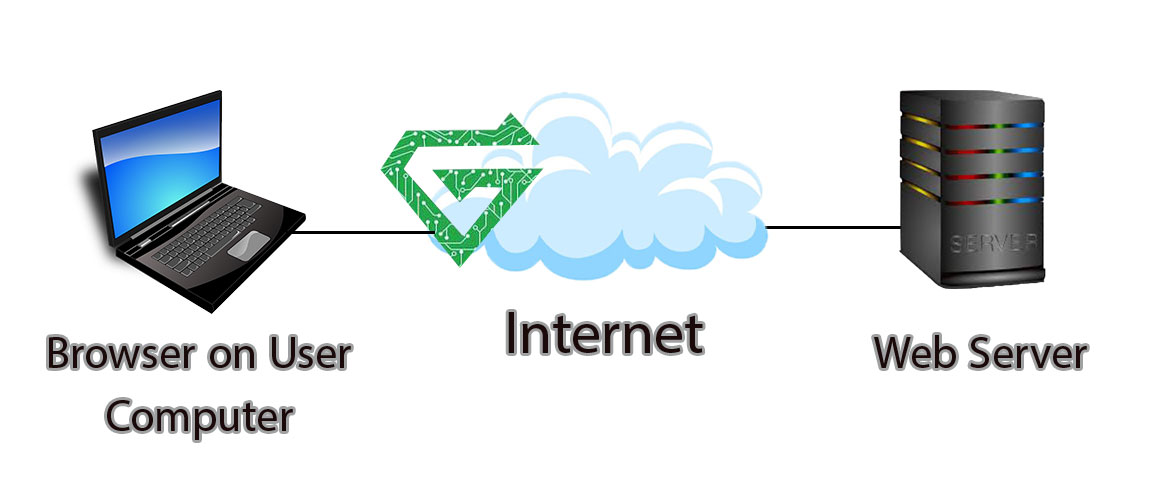
- Web Server: Equipped with HTTP (Hypertext Transfer Protocol) that delivers web pages when requested by other computers.
- Application Server: It stores and manages applications that help connect users in an organization to its data or business systems.
- Catalog Server: These servers maintain an index or table of contents of information that can be found across a large distributed network. Distributed networks may include computers, users, files shared on file servers, and web apps. Examples of catalog servers are directory servers and name servers. Their clients are any computer program that needs to find something on the network. An example can be a domain member attempting to log in, an email client looking for an email address, or a user looking for a file
- Communication Server: These servers maintain an environment needed for one communication endpoint to find other endpoints and then communicate with them. These servers may or may not include a directory of communication endpoints and a presence detection service, depending on the openness and security parameters of the network. Their clients are communication endpoints.
- Computing Server: These servers share vast amounts of computing resources which include CPU and random-access memory over a network. Any computer program that needs more CPU power and RAM than a personal computer can probably afford can use these types of servers. The client must be a networked computer to implement the client server model which is a necessity.
- Database Server: These servers maintain and share any form of database over a network. A database is an organized collection of data with predefined properties that may be displayed in a table. Clients of these servers are spreadsheets, accounting software, asset management software, or virtually any computer program that consumes well-organized data, especially in large volumes.
- Fax Server: These servers share one or more fax machines over a network which eliminates the hassle of physical access. Any fax sender or recipient is the client of these servers.
- Mail Server: These servers make email communication possible in the same way as a post office makes snail mail communication possible. Clients of these servers are senders and recipients of email.
Components of a Server:
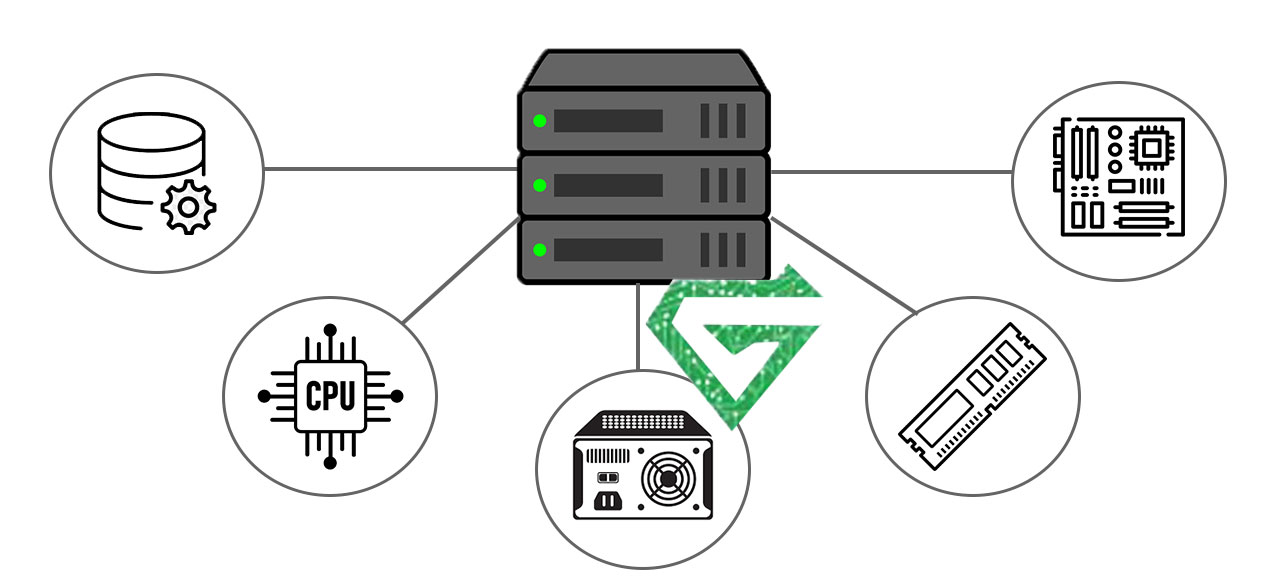
There are a variety of components within a server. They are more powerful than components found in laptops and mobiles and can be optimized up to enterprise-level performance.
CPU: CPU stands for Central Processing Unit. It is sometimes known as the ‘brain of the server’ because it is responsible for executing program instructions. The CPU uses electrical signals to direct the system, and Servers can support from one to eight CPUs, depending on the type of model and scale of operation required. As the most power-hungry component, it is important to keep CPUs as efficient as possible, to ensure they don’t become a drain on your resources and budget.
RAM Memory: Server Memory is Random Access Memory (RAM) which processes data from Sever Storage to the CPU. RAM is volatile memory that loses its held information when the Server is switched off, so is essentially a device that forms as the Server’s short-term memory. RAM is an essential component because without it, Server performance would be extremely slow, and the Server would not be able to carry out day-to-day tasks. Typically, when Server upgrades are carried out, RAM and CPUs are the priority which reflects how critical these components are for your system.
Server Storage: If you think about RAM Memory as the short-term memory in a Server, the HDDs (Hard Disk Drives) and SSDs (Solid State Drives) are the long-term memory. HDDs and SSDs can store data even when the power is turned off, and also read and write data. HDDs and SSDs live within a Server’s storage bays. A Server has multiple storage bays which enable you to expand the capacity of the system. This is particularly useful for growing organizations who are continuously adding more employees and/or IT infrastructure. As the business grows, you can easily add more Server Storage, depending on the model and compatibility of the Server. SSDs are the later versions of HDDs. They use less power and do not have moving parts like HDDs do. SSDs provide faster performance but are the more expensive model.
PSU (Power Supply Unit): Despite its name, a data center Power Supply Unit does not supply power. It converts the power from AC (alternating current) to DC (direct current) that is then distributed to the components within the Server. Servers will always require at least two PSUs with good fans as this provides efficient cooling.
Motherboard: The Motherboard, otherwise known as a System Board or Main Board, transmits data via data buses that go through the north bridge or south bridge that is then distributed to the likes of the CPU and RAM. The Motherboard is an essential foundation in the Server as it allows the rest of the components to communicate with each other.
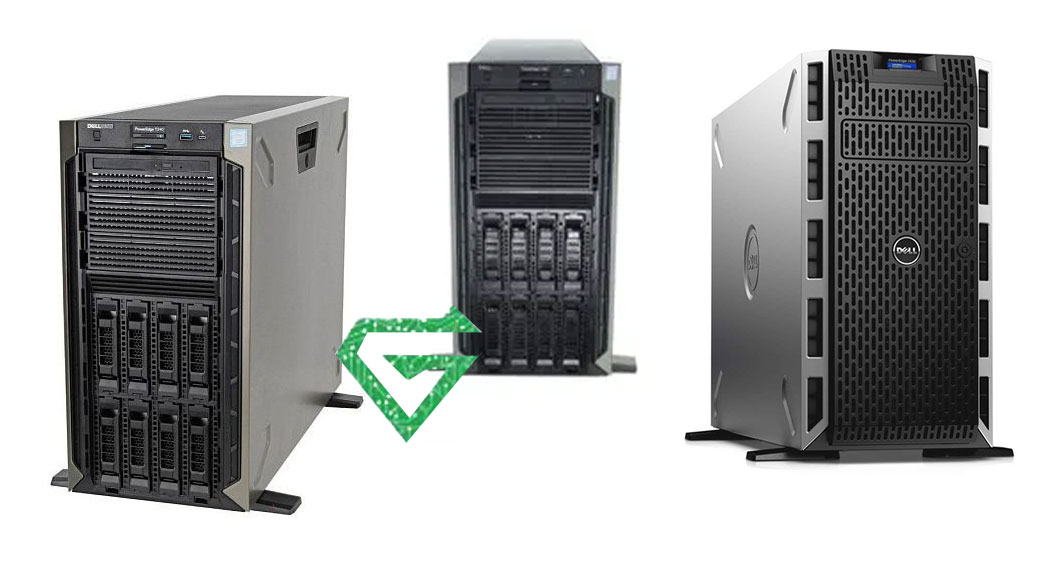
What are Tower Servers?
Tower Servers are the most affordable Server solution. Often mistaken for a typical desktop, Tower Servers can stand alone either within or outside a server cabinet. This differs from Blade and Rack Servers as they must be placed in a cabinet. Tower Servers are simpler in design which is a benefit as they are easier to cool, reducing the chances of overheating. Tower Servers are suitable for individuals up to mid-size organizations due to their lower cost, but if required, they can be converted to a Rack Server to support expansion needs.
What are Rack Servers?
Designed to be installed on a Rack Mount for Servers called bays, Rack Servers require a vertical, low-profile enclosure and must be kept in a cabinet. This brings security benefits, as well as simplifying the cabling among the network components. Other advantages of Rack Servers are increased scalability, which is ideal for expanding businesses. They also provide easy access for maintenance requirements due to their convenient, pull-out design.
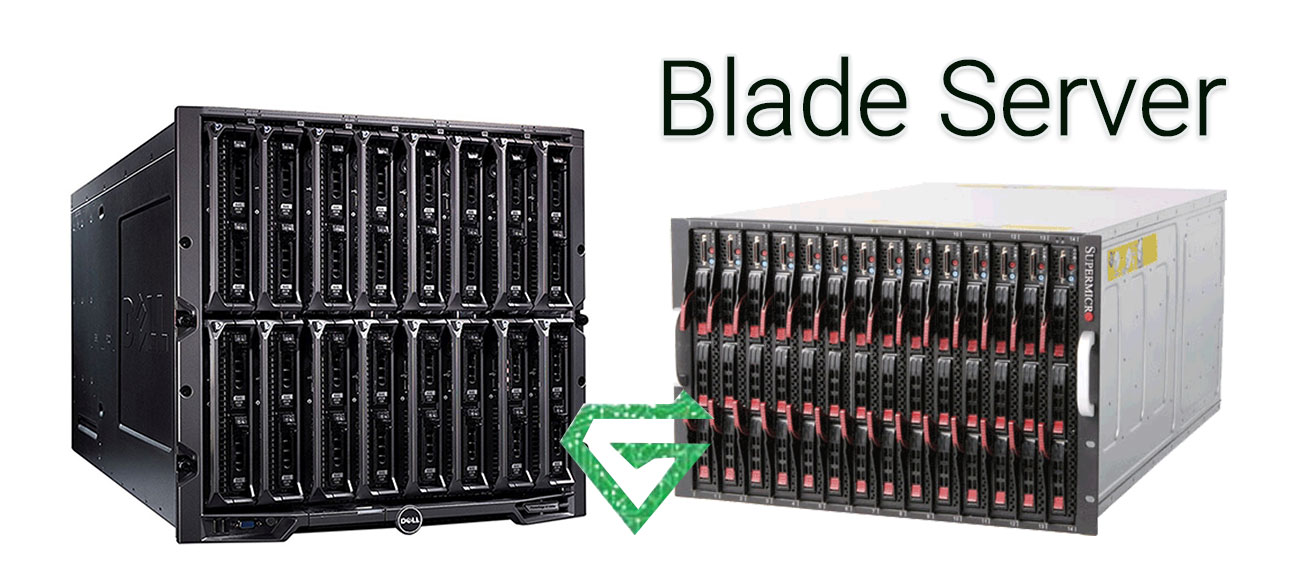
What are Blade Servers?
Blade Servers are the smallest in design out of the three main types of Servers. With a sleek design and requiring minimal space, Blade Servers are the most advanced type of Server on the market. Cabling requirements for Blades Servers are minimal and multiple Blades can all be connected through a single interface resulting in easy maintenance and monitoring. When considering Blade vs Rack Servers, being the latest in Server design, Blade Servers are the most expensive on the market and the Rack Servers are the more cost-effective option of the two. Blade Servers are the best choice if your business has an extensive number of clients or if you have significant performance requirements.
Key features of a server:
Servers can differ in terms of capabilities or reach, but all should share the following key features.
- Scalability: Servers can run multiple programs and handle multiple users accessing it simultaneously.
- Centralization: They allow for centralized data storage and access, increasing efficiency, security, and management.
- Security: Servers are more secure than standard desktop computers because they can be equipped with advanced security features, such as firewalls and intrusion prevention systems.
- Quality performance: These devices have the design to handle heavy workloads and can handle a high volume of requests.
Conclusion:
If you need a server to equip your network and need to consult for buying it in high quality, we are here in Atech to help you. Contact us with +971505317723.